Enterprise Data Pipeline & Orchestration Suite
with AI touch (sparkles emoji)
Faced with outdated, fragmented tools and a blank slate for new features, I led the UX transformation that brought everything under one roof. From describing process flows to launching AI-powered helpers, I made sure the platform was not just functional, but genuinely easier to use.
The result: a unified data platform, two brand new modules, and a team that worked as one.
Team: 2 MGMT, 12 Dev, 1 UX
Role: Key Designer
Duration: 1 year
Platform: Web
Tags: Nodes, Dashboards, Data Pipelines, Orchestration, AI, B2B, Redesign, Access Management
Background
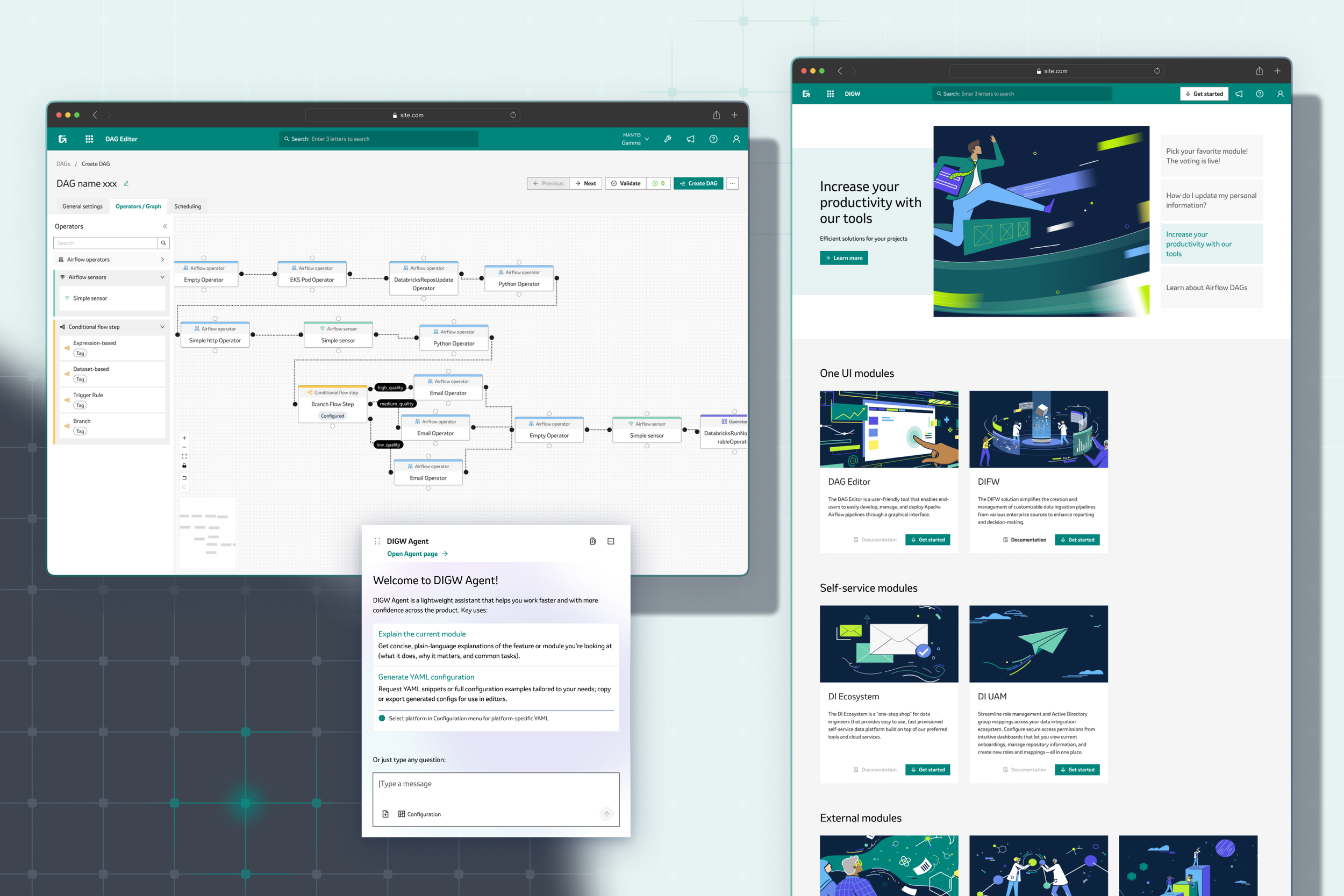
The DIGW (Digital Integration Gateway) initiative set out to solve a growing problem: organization relied on two powerful but disconnected modules—DIFW (Data Integration Framework), a data pipeline builder, and DAG Editor, a workflow orchestration tool. Both were essential for data engineers and technical admins, but each had its own interface, quirks, and learning curve. Users struggled with switching between systems, onboarding new team members, and keeping up with evolving business needs. As the company’s data landscape grew more complex, it became clear that a unified, user-friendly platform was needed—not just to modernize the look and feel, but to streamline workflows, introduce new features like AI-powered helpers, and bring everything in line with the company’s design system. The DIGW project was born to bring these modules together under one umbrella, making life easier for our technical teams and setting the stage for future growth.
Challenges
A classic: legacy tools were built independently, with inconsistent interfaces and outdated design.
A classic 2: the initial project scope was vague, with shifting requirements and blurred product vision.
Design processes were barely integrated into projects and lacking team-collaboration.
Tight deadlines, including a critical design sprint during the holiday season when the whole team was unavailable.
Additional responsibilities for process documentation and team alignment as BA left early in timeline.
The new platform needed to support both existing workflows and new features, and of course aligned with the company’s design system.
Process
For DIGW, I followed a flexible design process, adapting the classic UX steps to fit the project’s unique needs and constraints. My approach included: Discover & Research → Define & Plan → Prototyping → Validating & Refinement → Deployment.
I adjusted each phase to match the technical audience, tight timelines, and evolving requirements, focusing on delivering actionable insights and efficient solutions.
Define & Plan
define design scope
estimate
define key requirements
define constraints
Discover & Research
understanding
interviews
usability tests
problem mapping
Prototyping
rapid prototyping
variations
figma make
Validating & Refinement
presentation and defense
user and team review
feedback gathering
Deployment
process flow definition
hand-off
dev and qa support
Discover & Research
At the outset, my main goal was to build a clear picture of how data pipeline products were used in practice, and what pain points users faced. I started by:
Stakeholder Interviews:
Conducted in-depth interviews with subject matter experts (SMEs), including data engineers, admins, and project managers. These sessions helped me uncover real-world workflows, common frustrations, and feature requests. I focused on understanding not just what users did, but why—what motivated their choices, and where existing tools fell short.Remote Moderated Usability Tests:
I ran usability tests with both experienced and new users, observing how they navigated the legacy DIFW and E2EO interfaces. I asked participants to perform typical tasks (like building a pipeline or troubleshooting errors) and encouraged them to verbalize their thoughts and feelings. This revealed specific usability issues, such as confusing navigation, slow error resolution, and inconsistent terminology.Workflow Analysis:
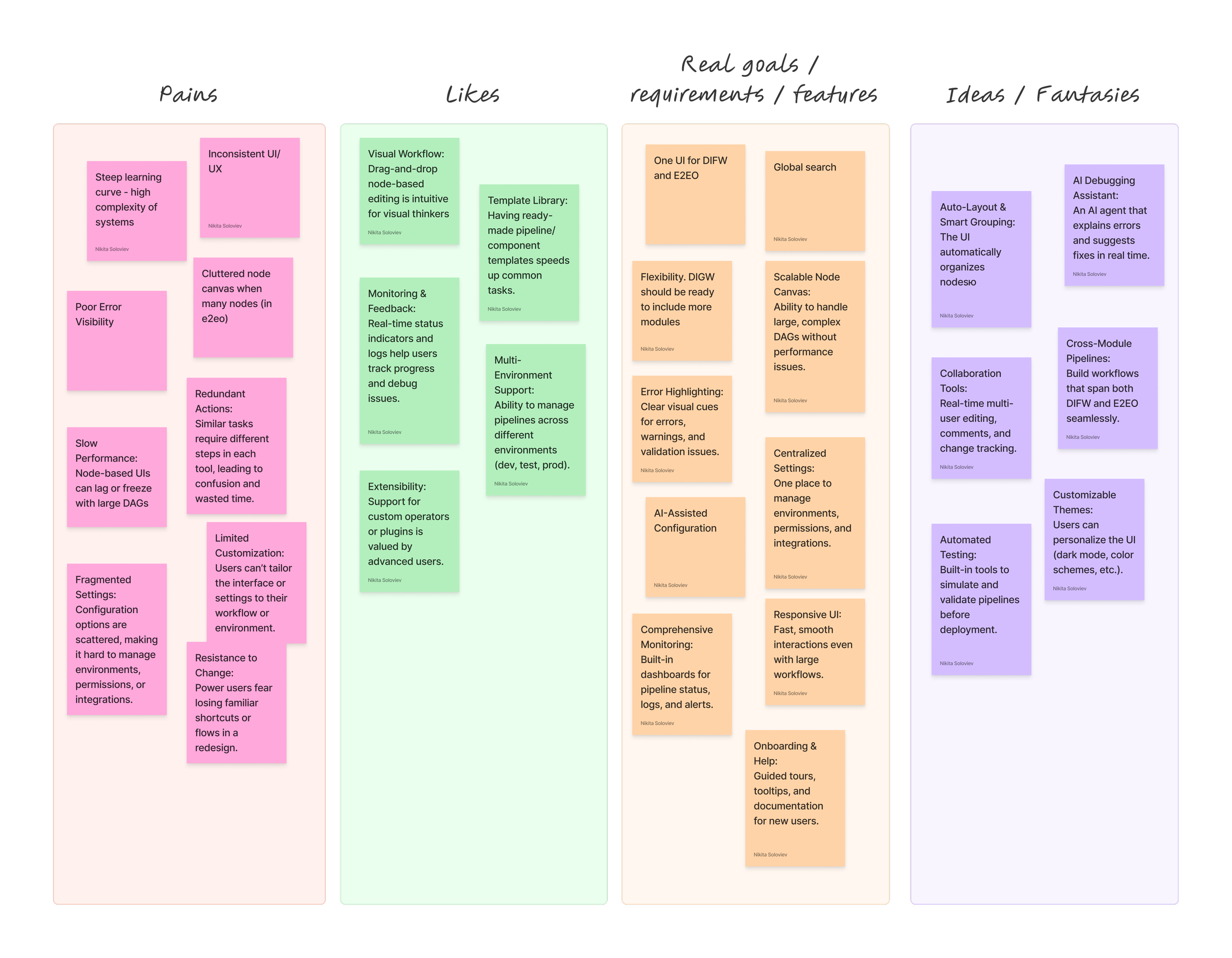
Mapped out end-to-end user journeys for key scenarios, such as pipeline creation, deployment, and monitoring. I documented bottlenecks, redundant steps, and areas where users relied on workarounds.Team Workshop:
After collecting insights, I facilitated a workshop with the team to review findings, confirm the most important user tasks, and prioritize design efforts. This collaborative step ensured alignment and buy-in from all stakeholders.
Throughout the discovery and research phase, I tailored my methods to respect the technical expertise and time constraints of the audience, focusing on practical, actionable insights that would drive the design forward.
An army of one
A crucial moment in the project came during the holiday period, when I found myself working solo on the UI unification for DIFW and E2EO. Rather than let two weeks go unused, I took the initiative to move the design process forward independently—a decision that carried both responsibility and some risk, given the absence of quick team feedback.
My approach was:
Gather all available information about both systems before the team’s break.
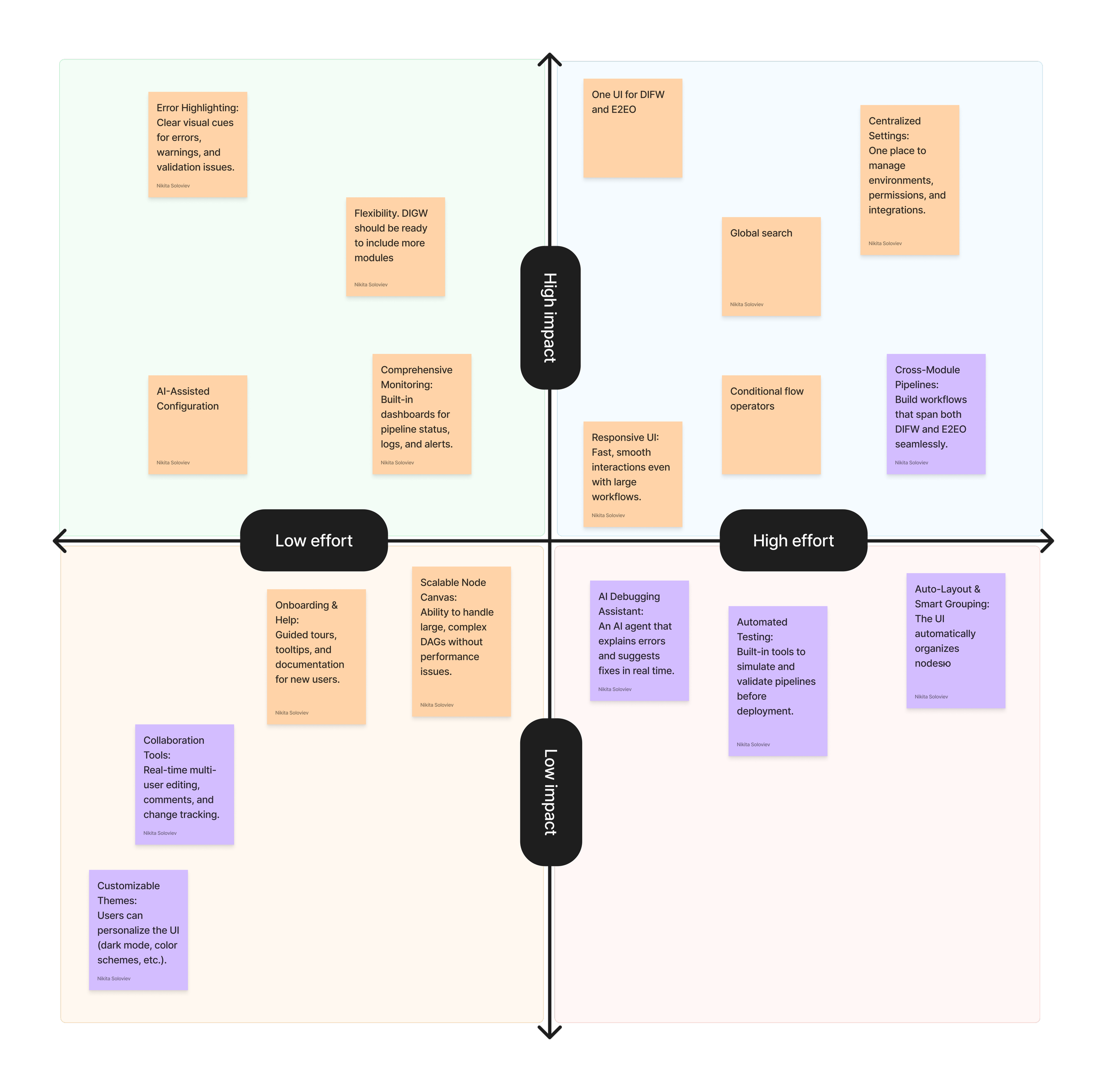
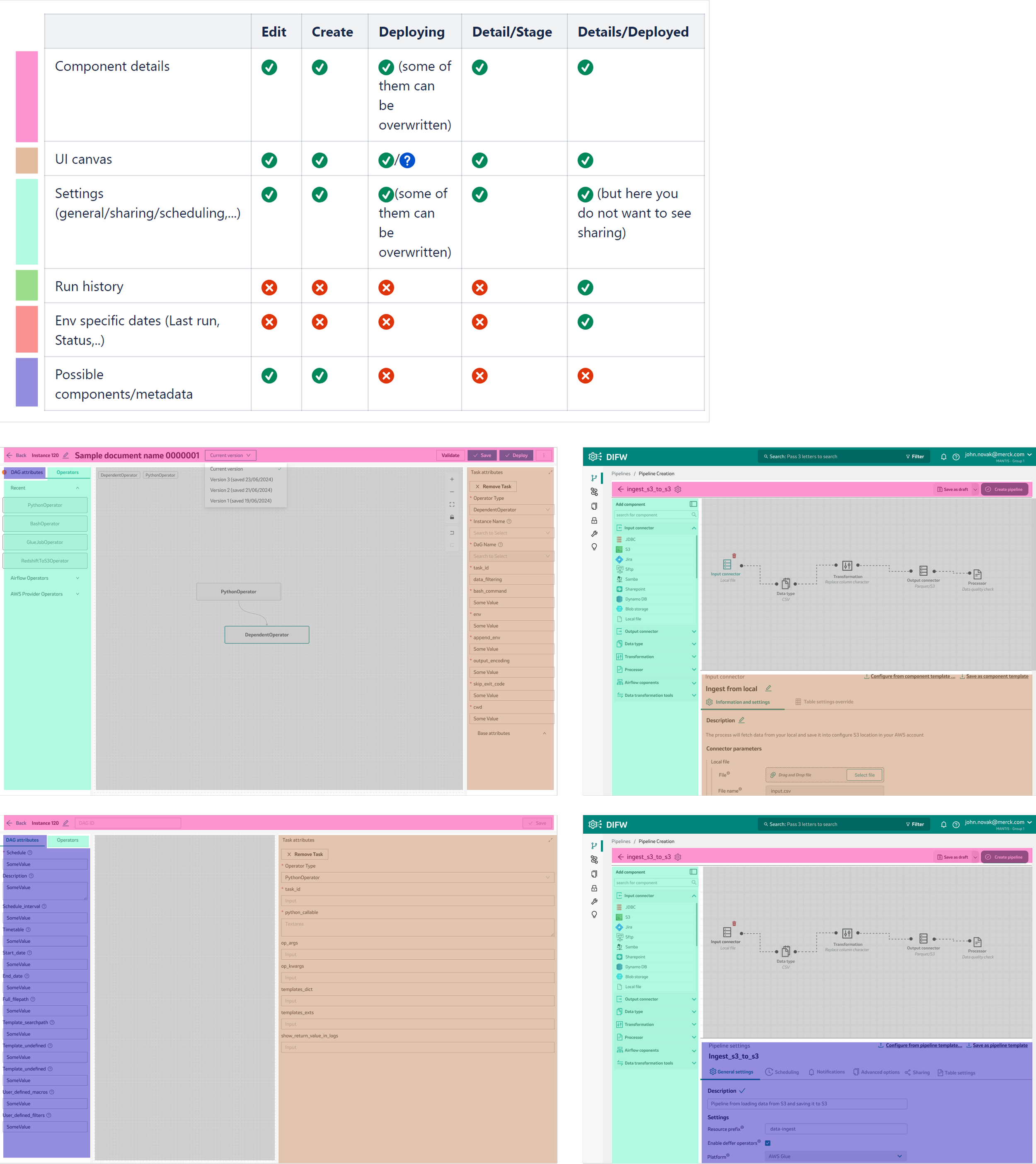
Identify similarities and differences using a color-coded component mapping technique.
Skip sketching and wireframing to save time, focusing instead on rapid, high-fidelity mockups.
Design several main page concepts for both products and combine them into a clickable prototype.
Present the demo to the team once everyone returned.
The response was overwhelmingly positive! Both the team and SMEs valued the preservation of familiar workflows, the use of the company’s design system, and the flexibility of the new UI. After a few minor adjustments based on their feedback, I proceeded with hand-off and process flow documentation.
Prototyping
One of the most important things that helped me pick up speed during the prototyping phase was having a live Ant-based Design System. The benefits were obvious throughout the project: I could ideate quickly, devs could implement fast and with fewer bugs, QA recognized the patterns, and the documentation was already halfway done. Of course, we had to tweak some components and create a few custom ones—that’s just part of the usual development process. But overall, the design system made a huge difference. This was a real case of a design system working as it should.
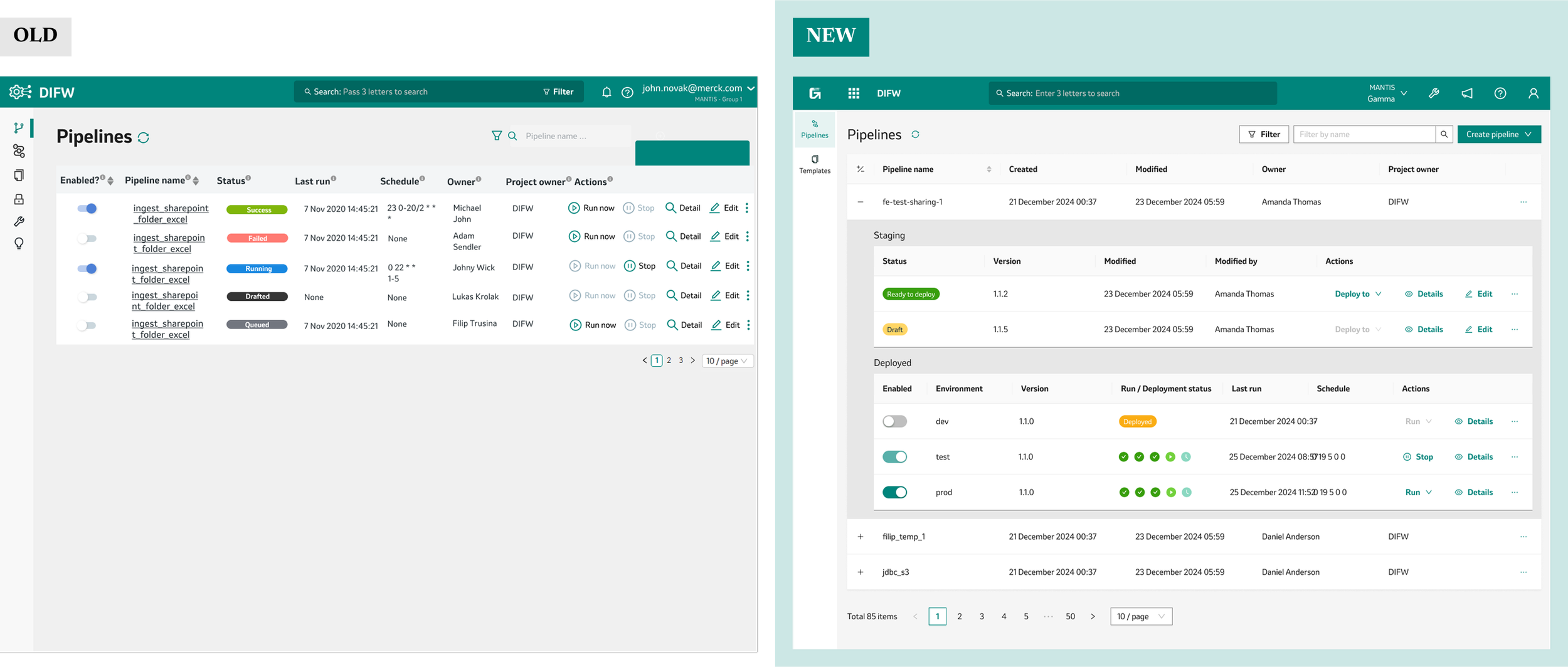
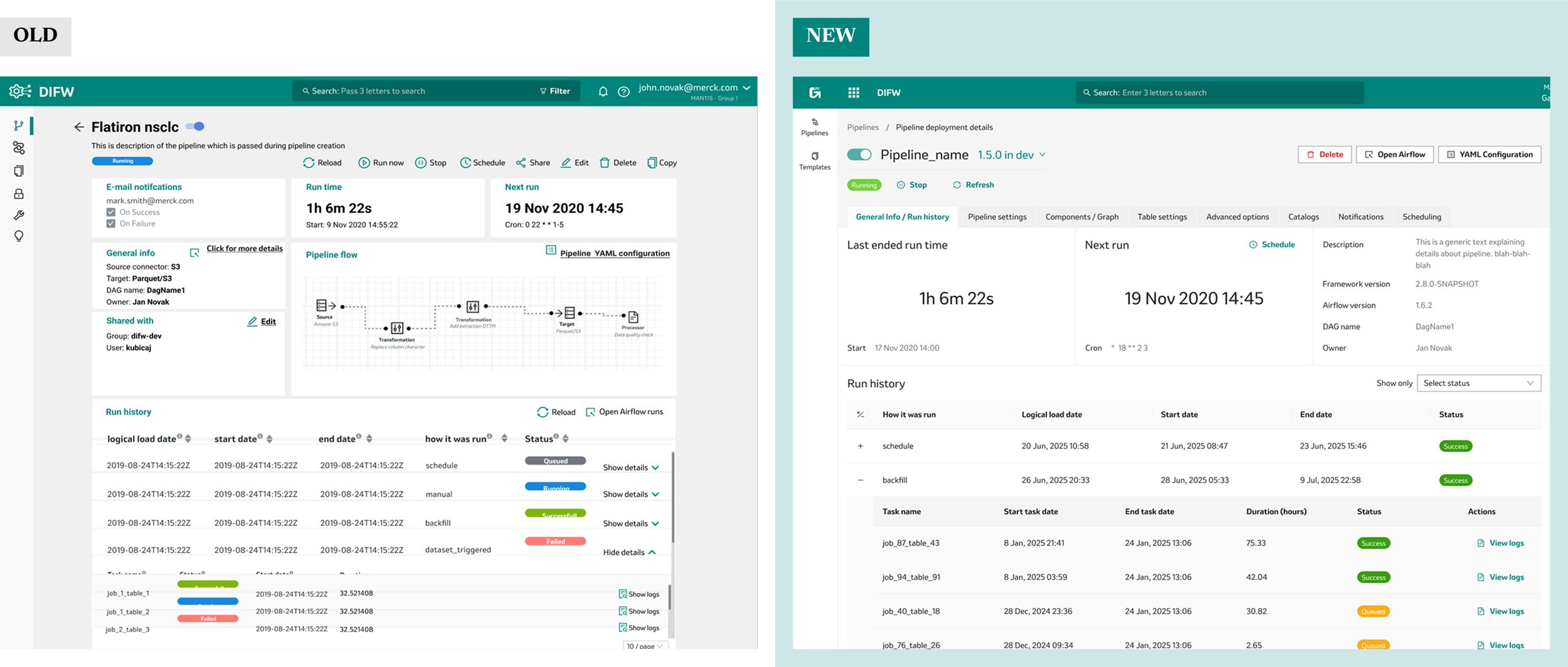
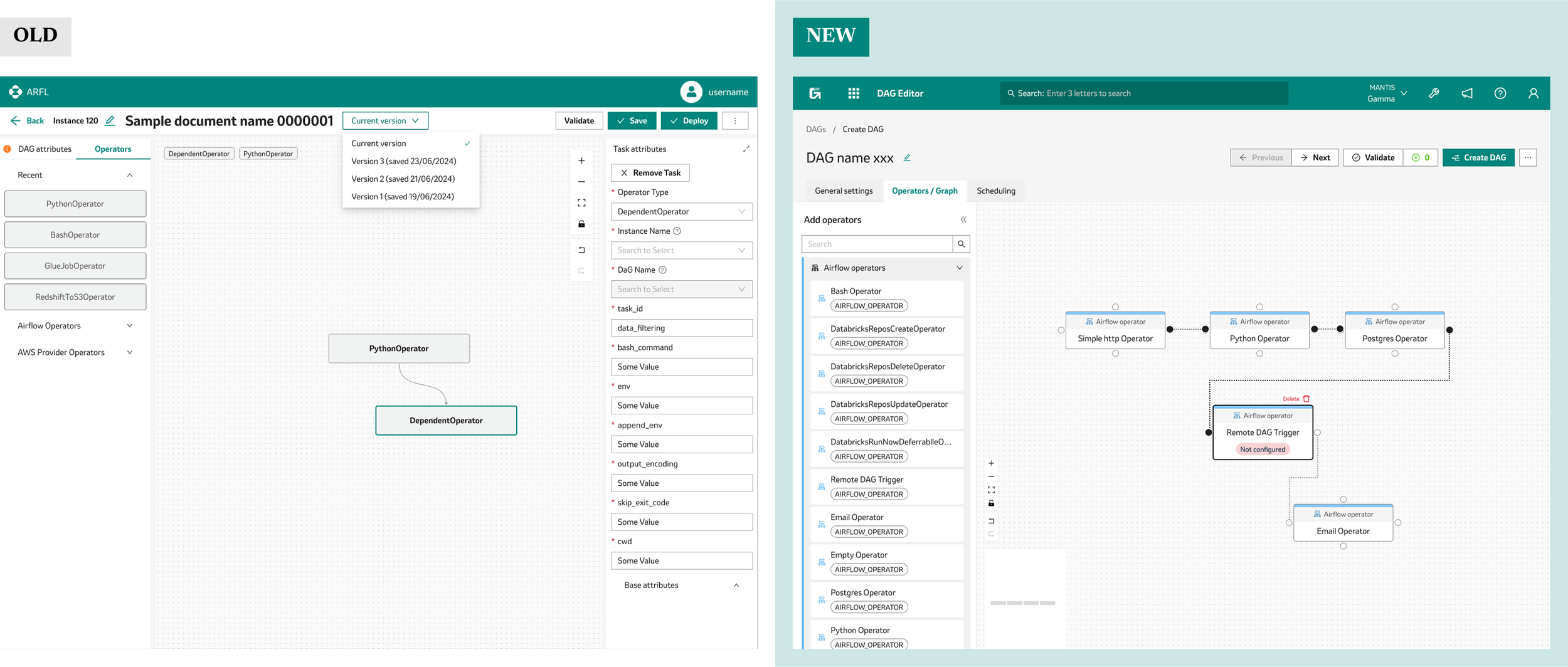
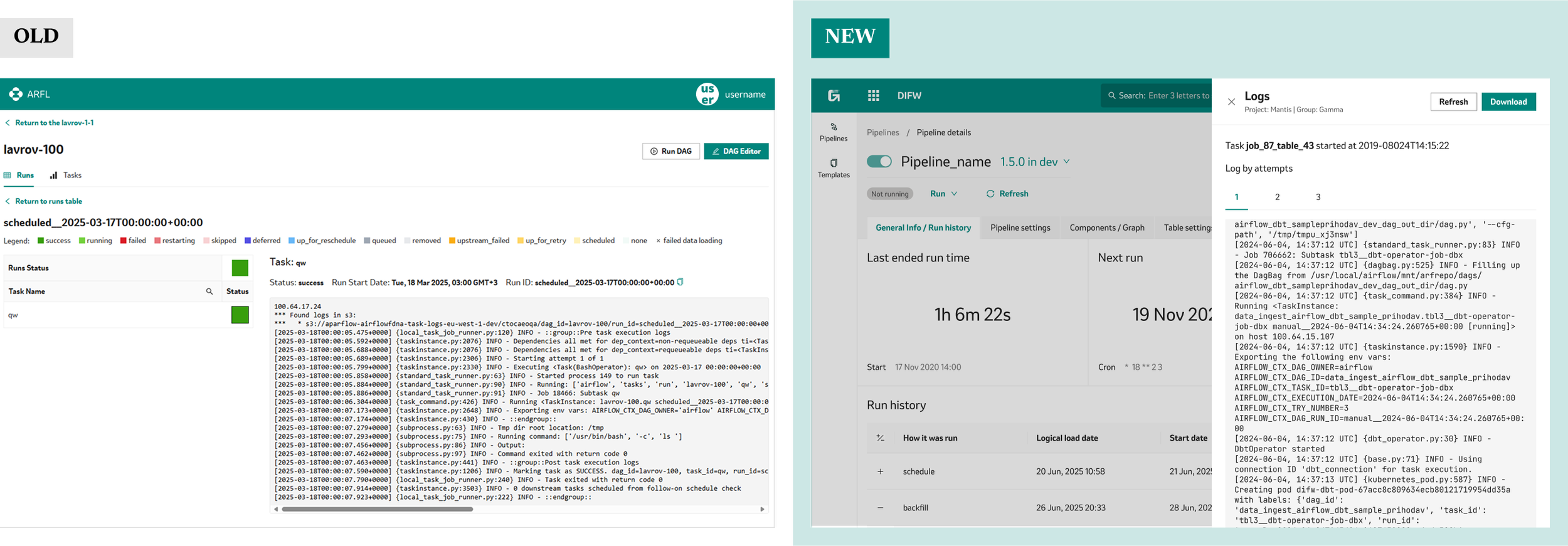
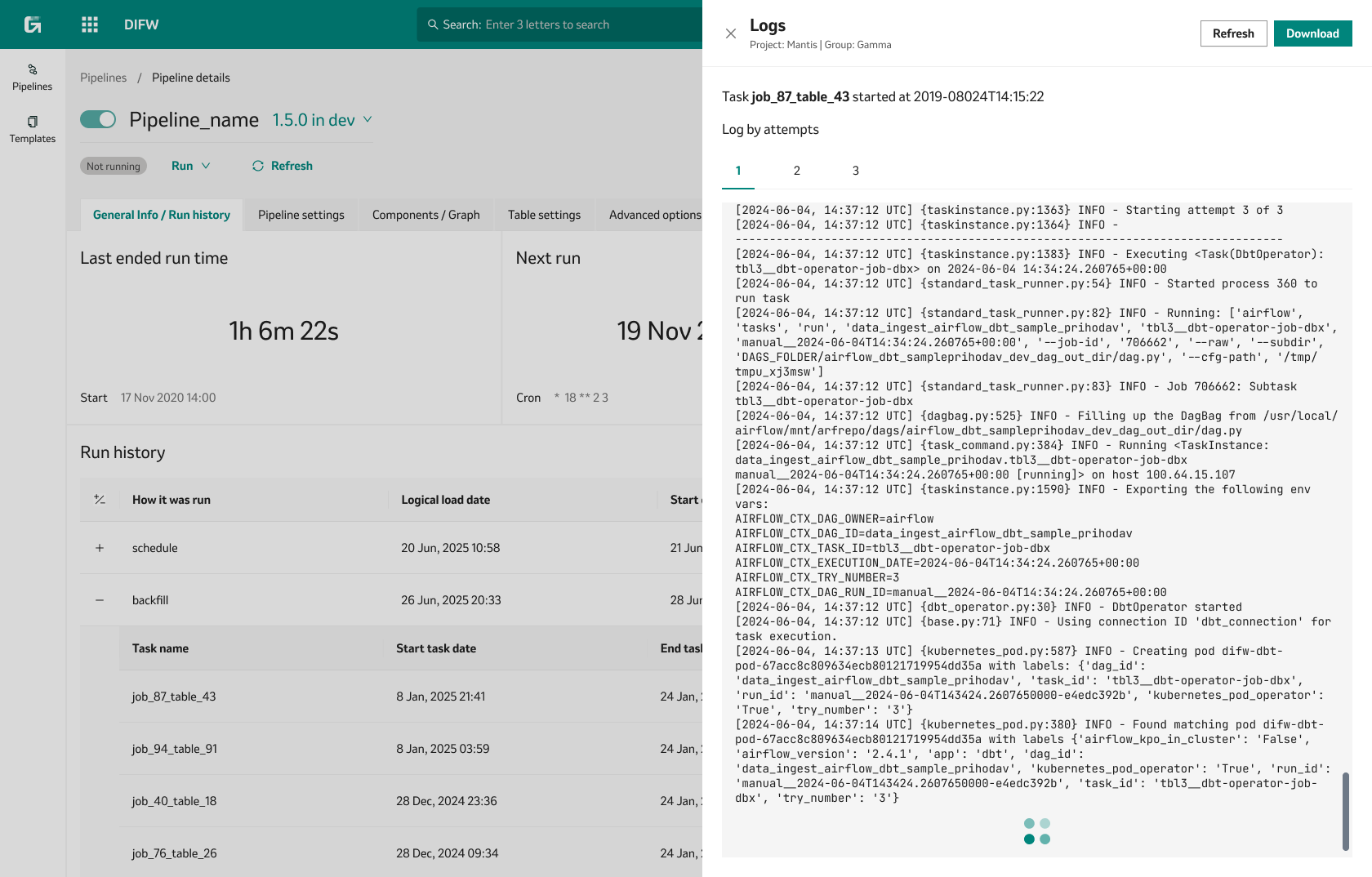
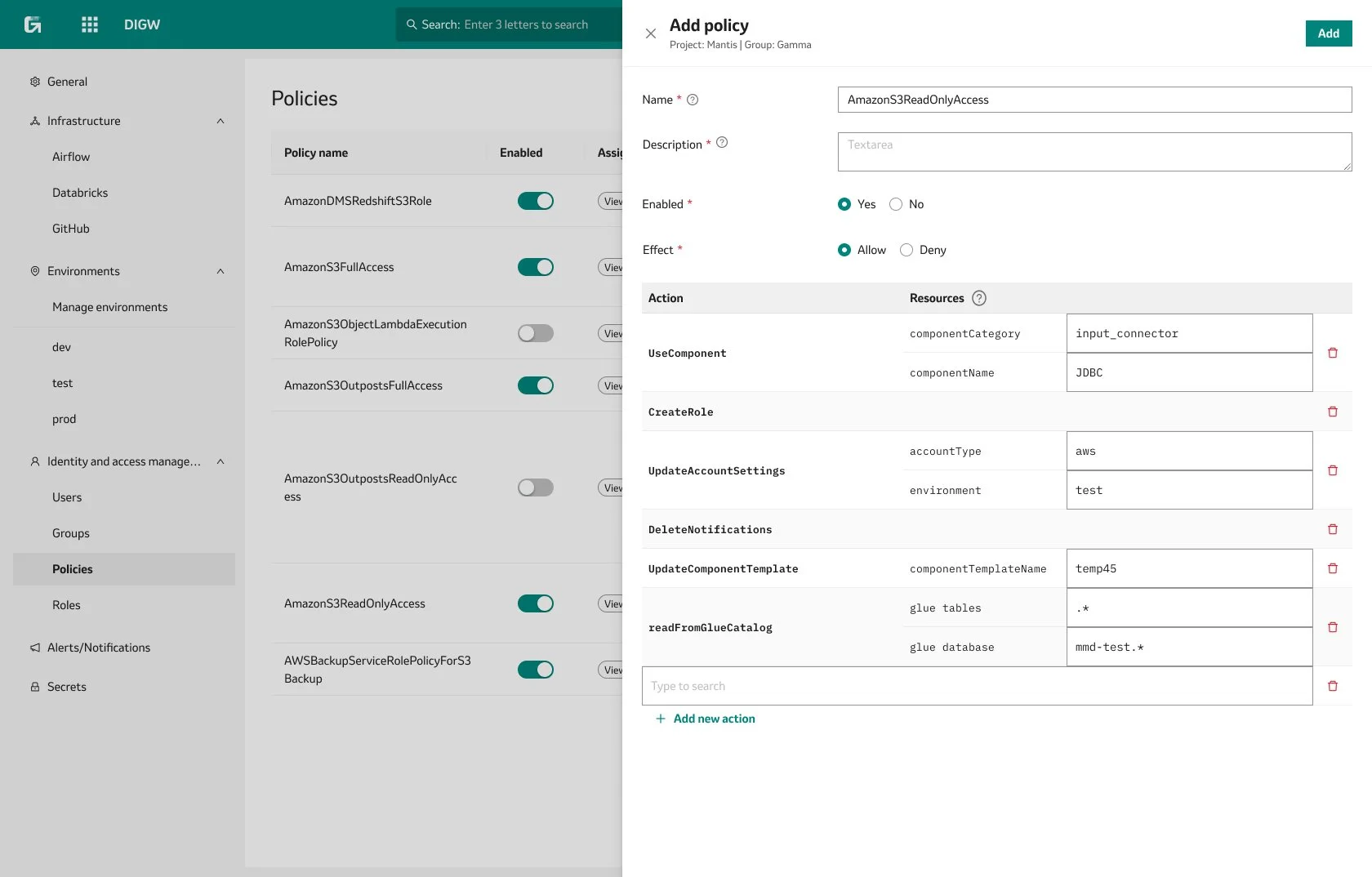
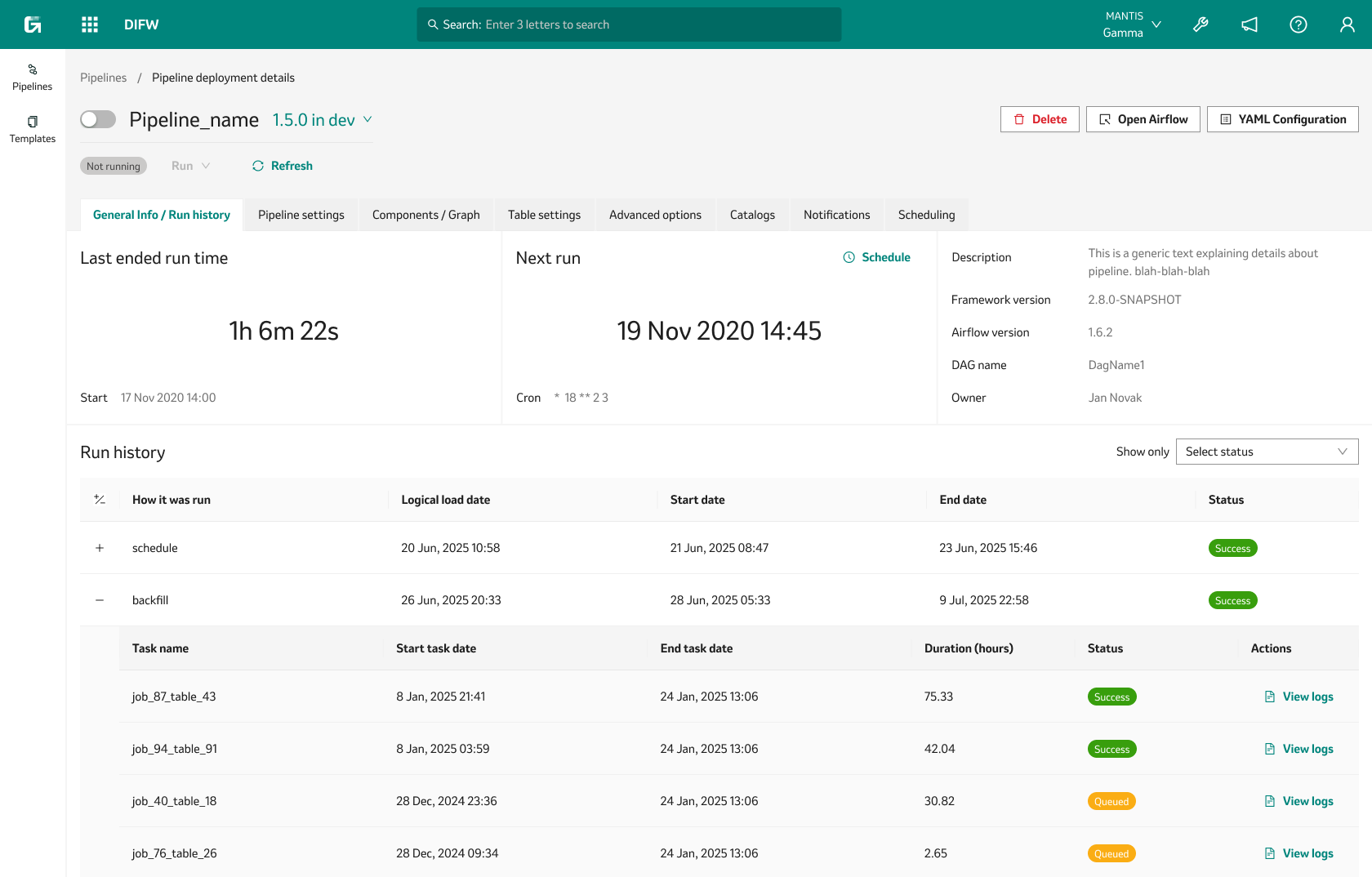
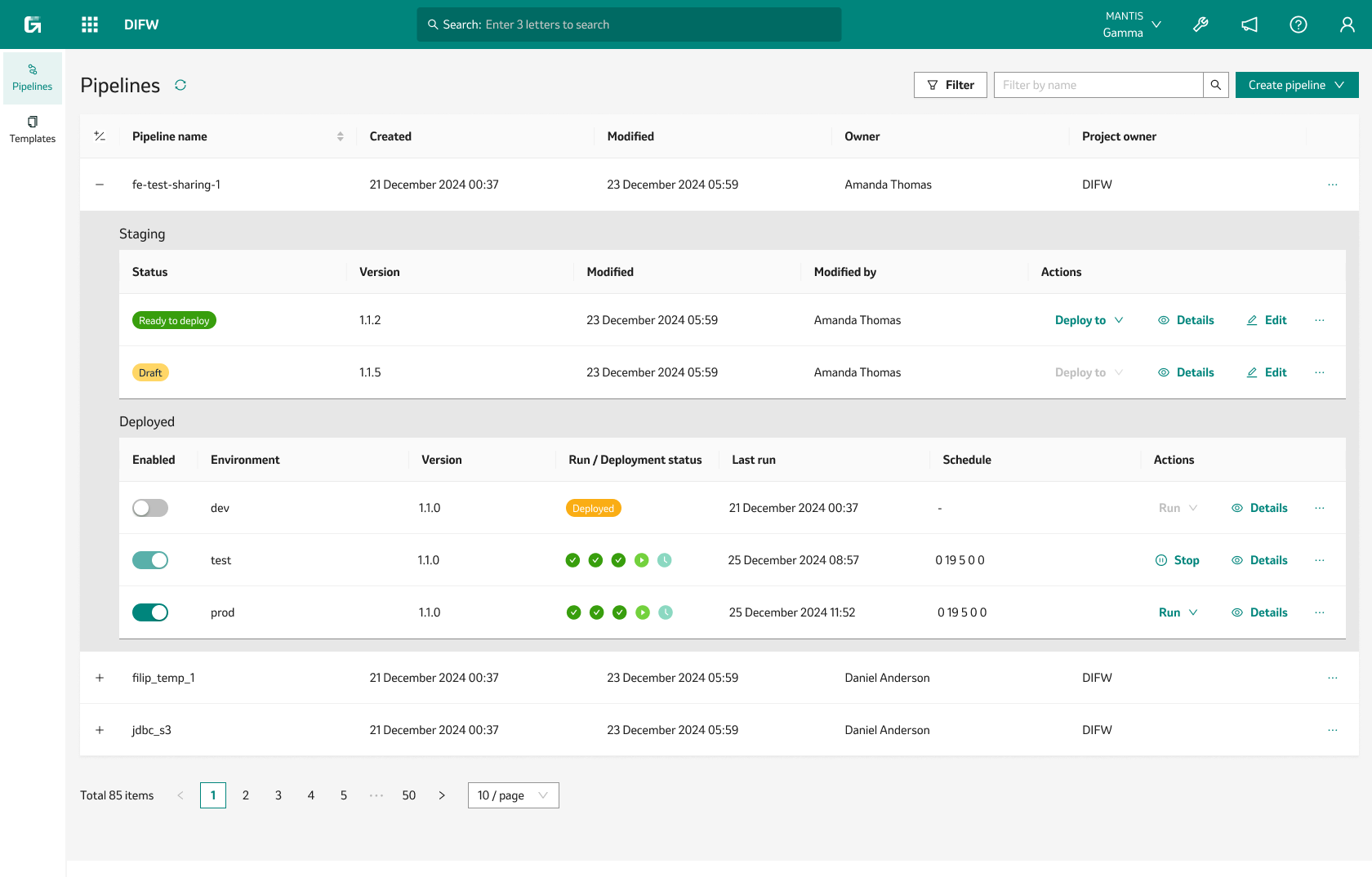
Below are some examples of screens created during the redesign phase.
Redesign excerpts
-
![]()
PIPELINES DASHBOARD
-
![]()
PIPELINE DETAILS
-
![]()
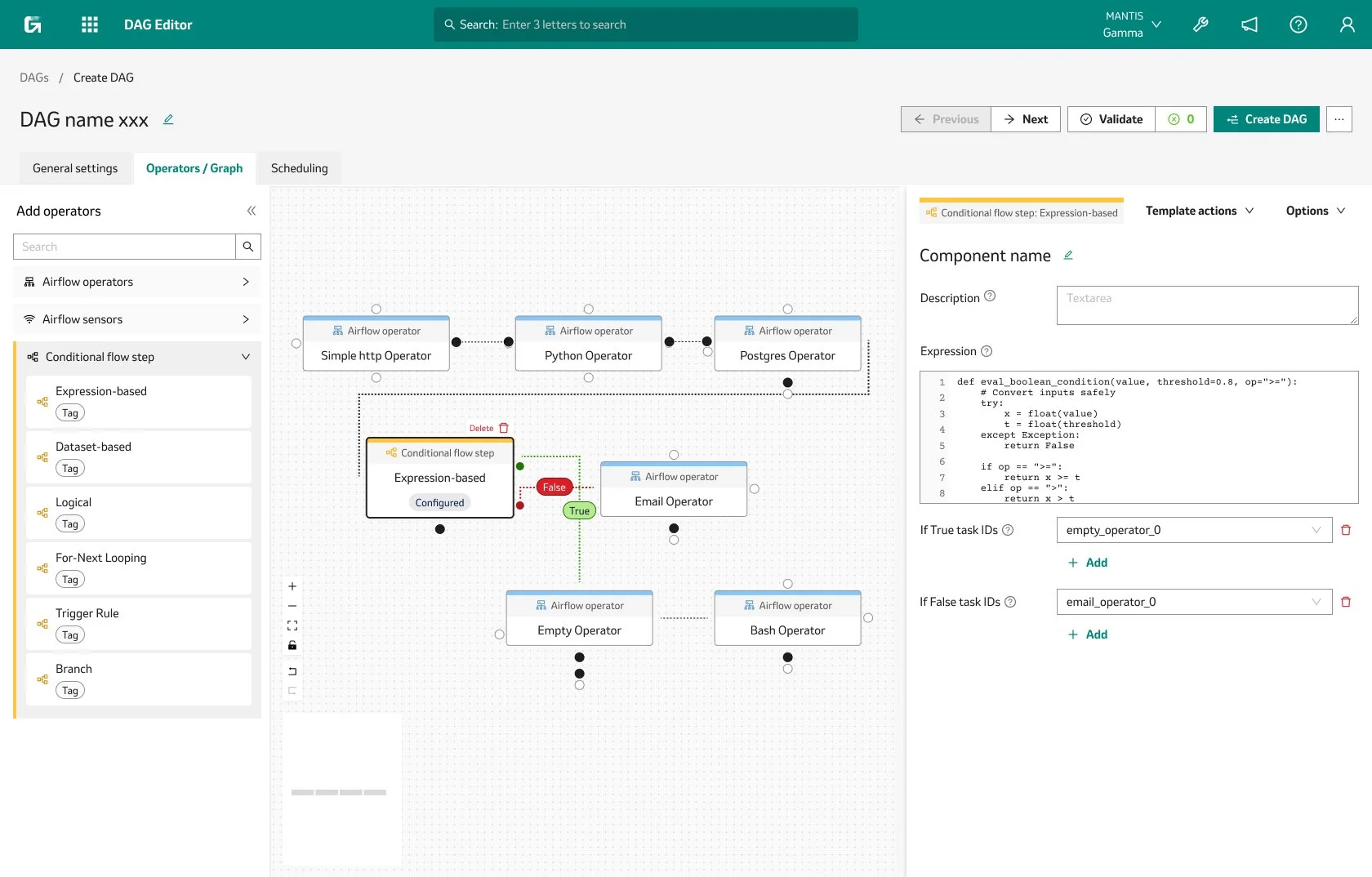
DAG EDITOR
-
![]()
DAG DETAILS
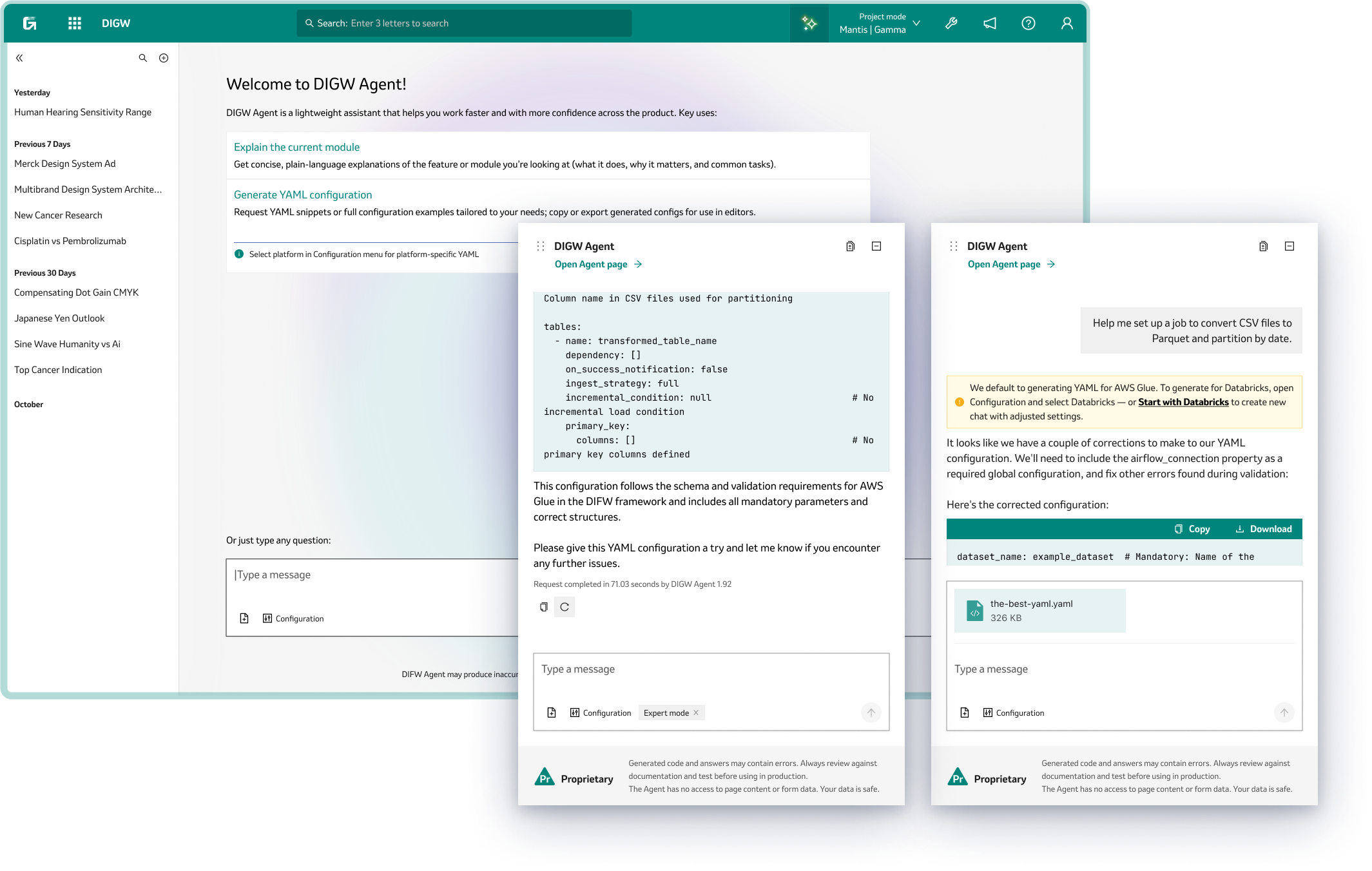
The “AI-touch”
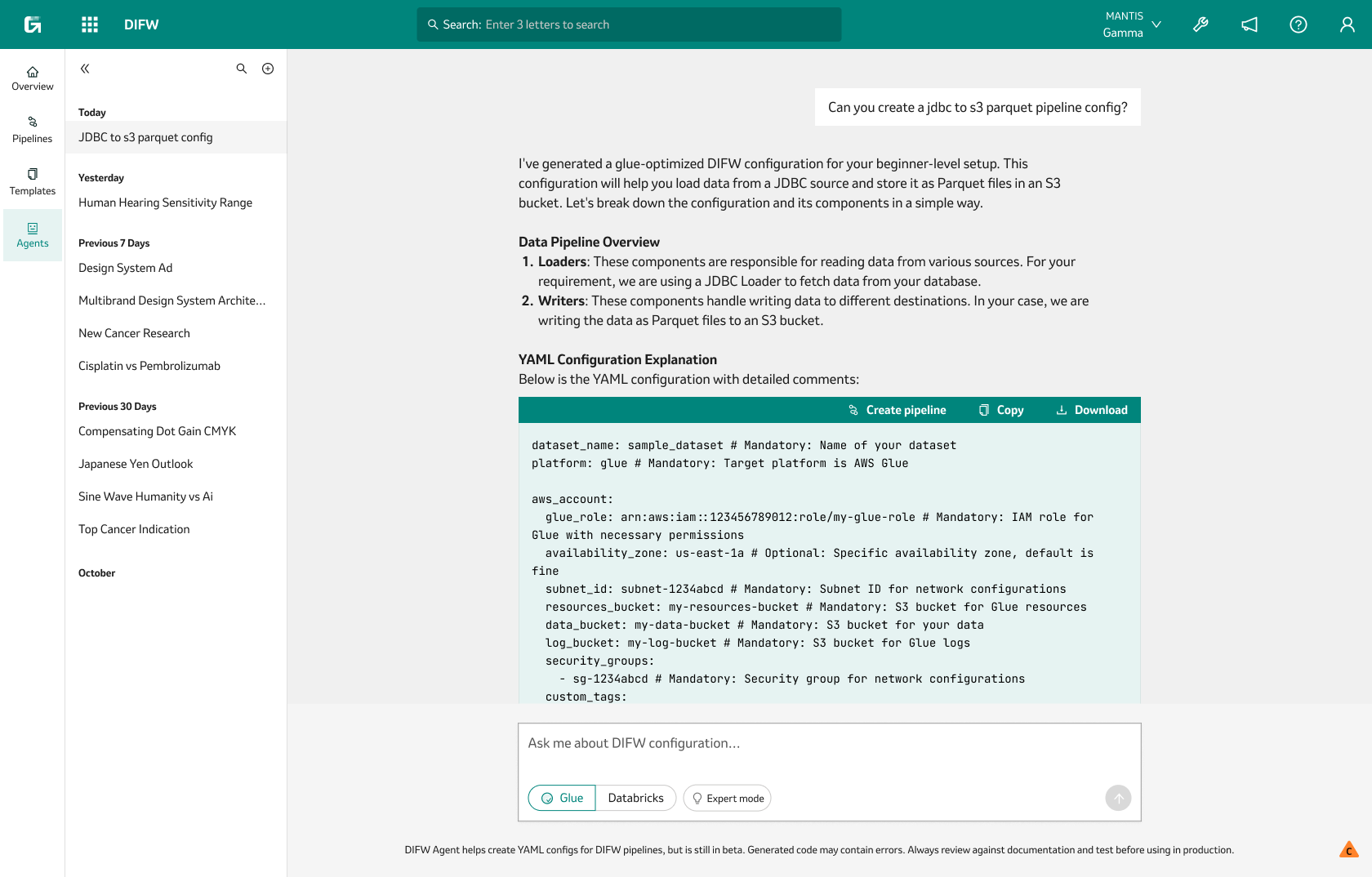
One feature I would like to… feature is the AI agent, that started out as a simple helper for generating YAML configurations—users could just type a prompt, and the agent would create the setup needed for a new pipeline. But as the project grew, so did the agent’s role. It evolved into a full-fledged platform assistant, able to provide context-aware information about whichever module the user was working in.
Now, instead of just building configs, the agent could offer advice, answer questions, and guide users through tricky tasks, making the whole experience smoother and more intuitive. What began as a basic automation tool became a smart companion for users, helping them get things done faster and with more confidence.
Numbers
While the redesign led to a noticeable drop in the time it takes users to complete most tasks, the story isn’t all sunshine—success rates tell a more nuanced tale. Some workflows became much faster, but not every task saw a big jump in completion rates, and a few even dipped slightly as users adjusted to new features and layouts. This mix highlights the real-world trade-offs of product evolution: speed and efficiency improved overall, but there’s still work to do in making every task as intuitive and foolproof as possible.
Time on Task
Success Rate
Screens!
Finally!
Results
So in one year, despite resource and timeline constraints:
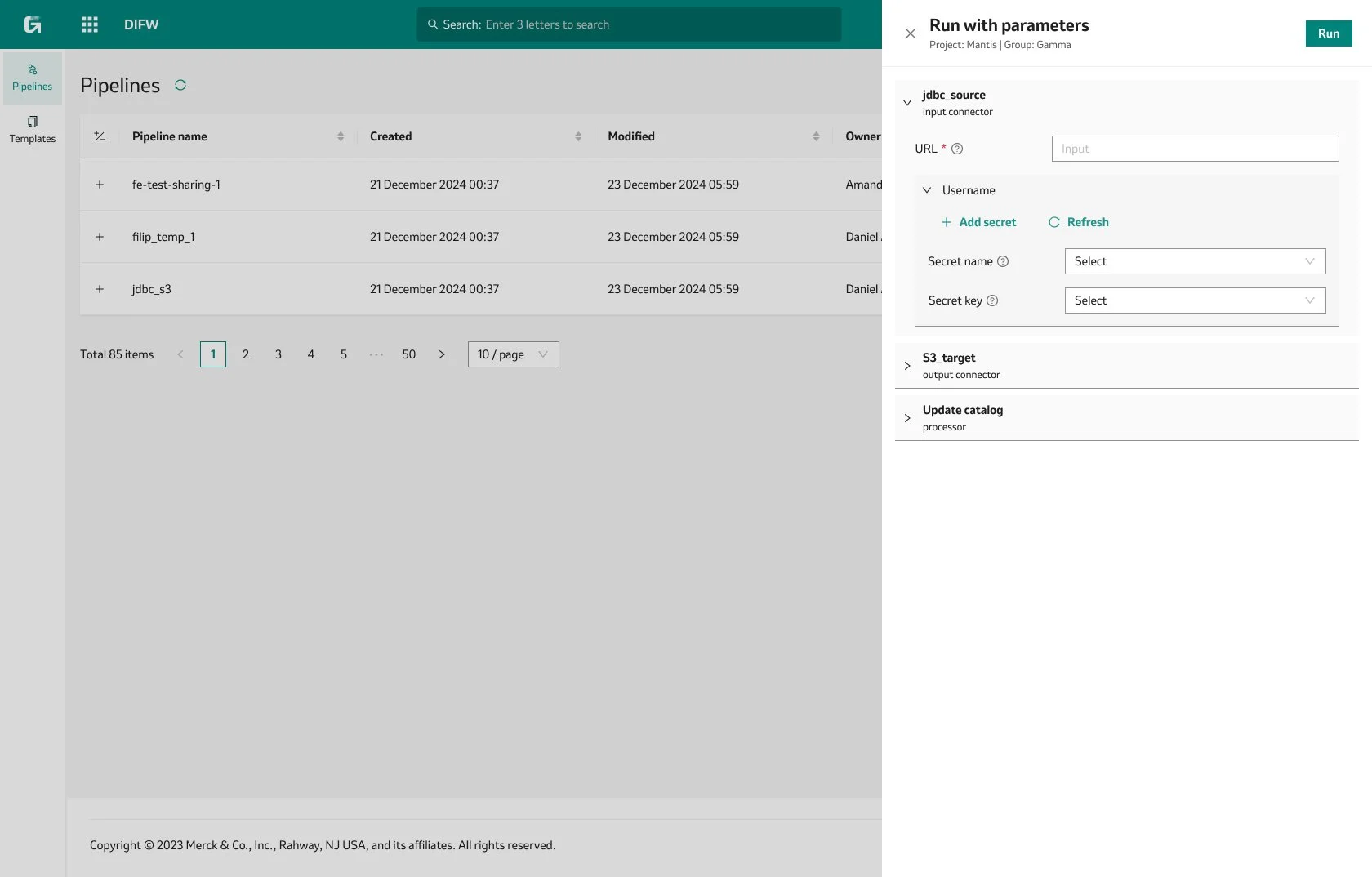
Unified two legacy tools and launched two new modules within a single, user-friendly platform that followed the company’s design system.
Improved the speed of complex workflows by three times, making daily tasks much more efficient for users.
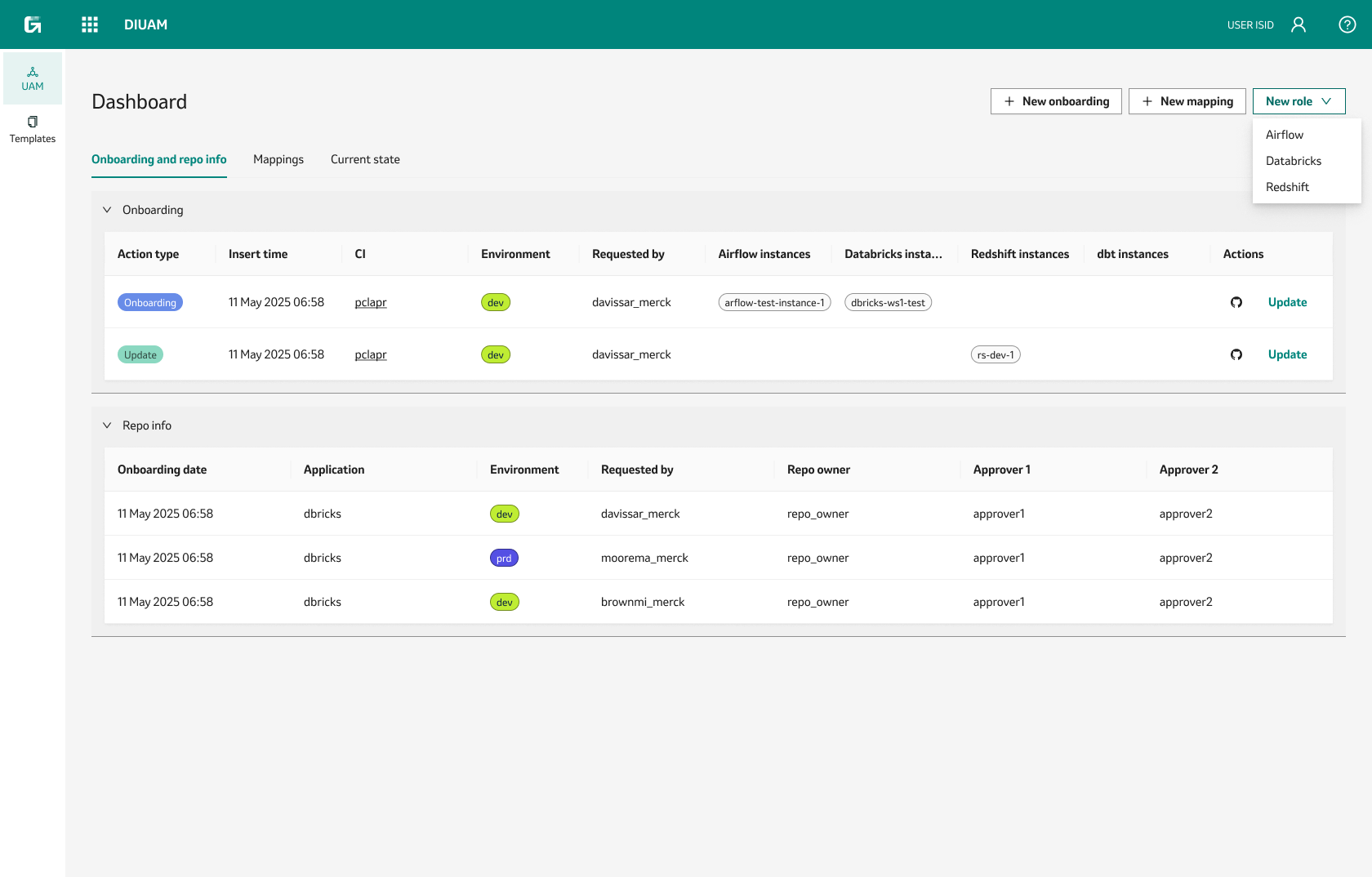
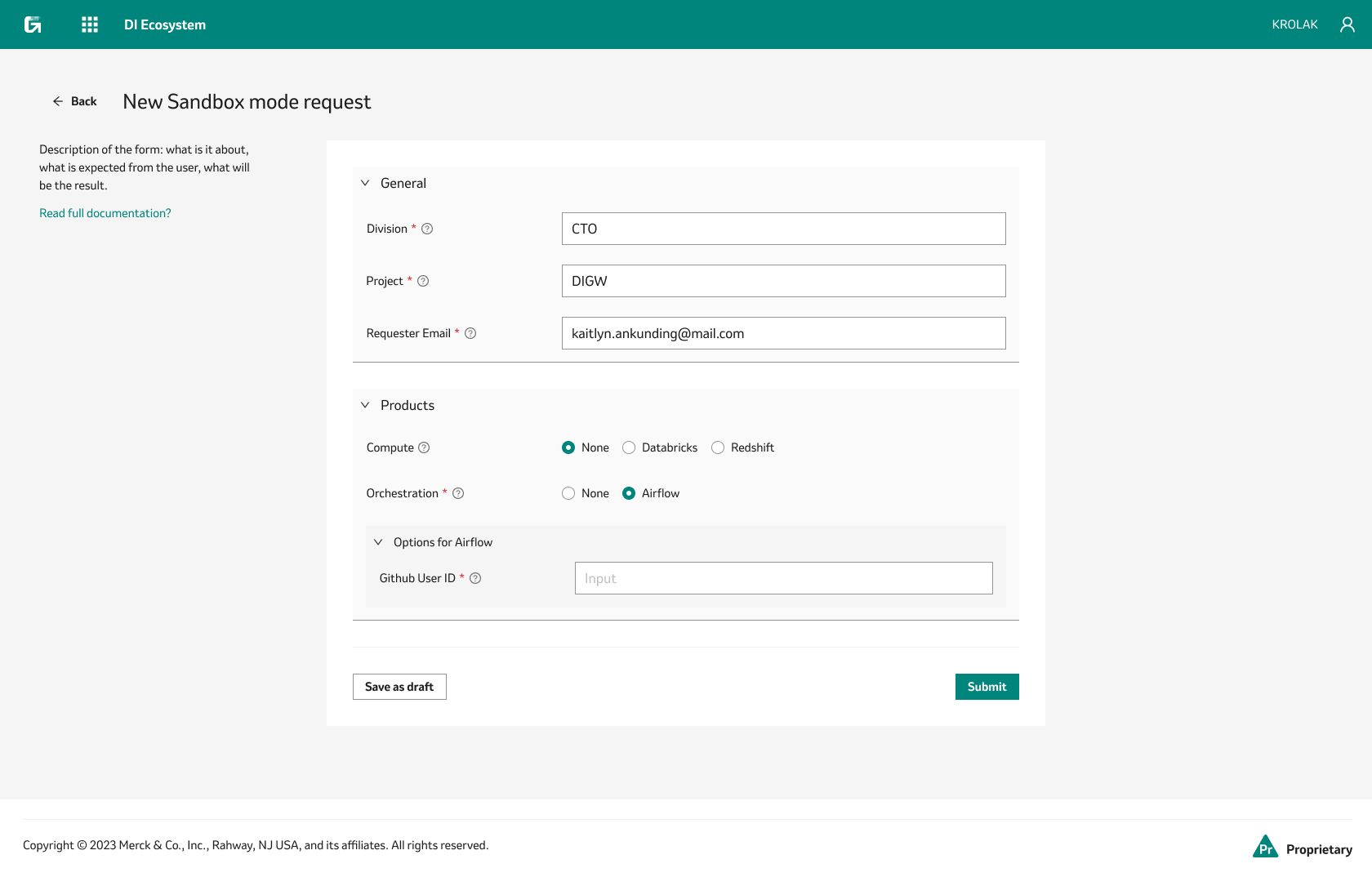
Streamlined infrastructure access, reducing wait times from days to just a few hours in some cases.
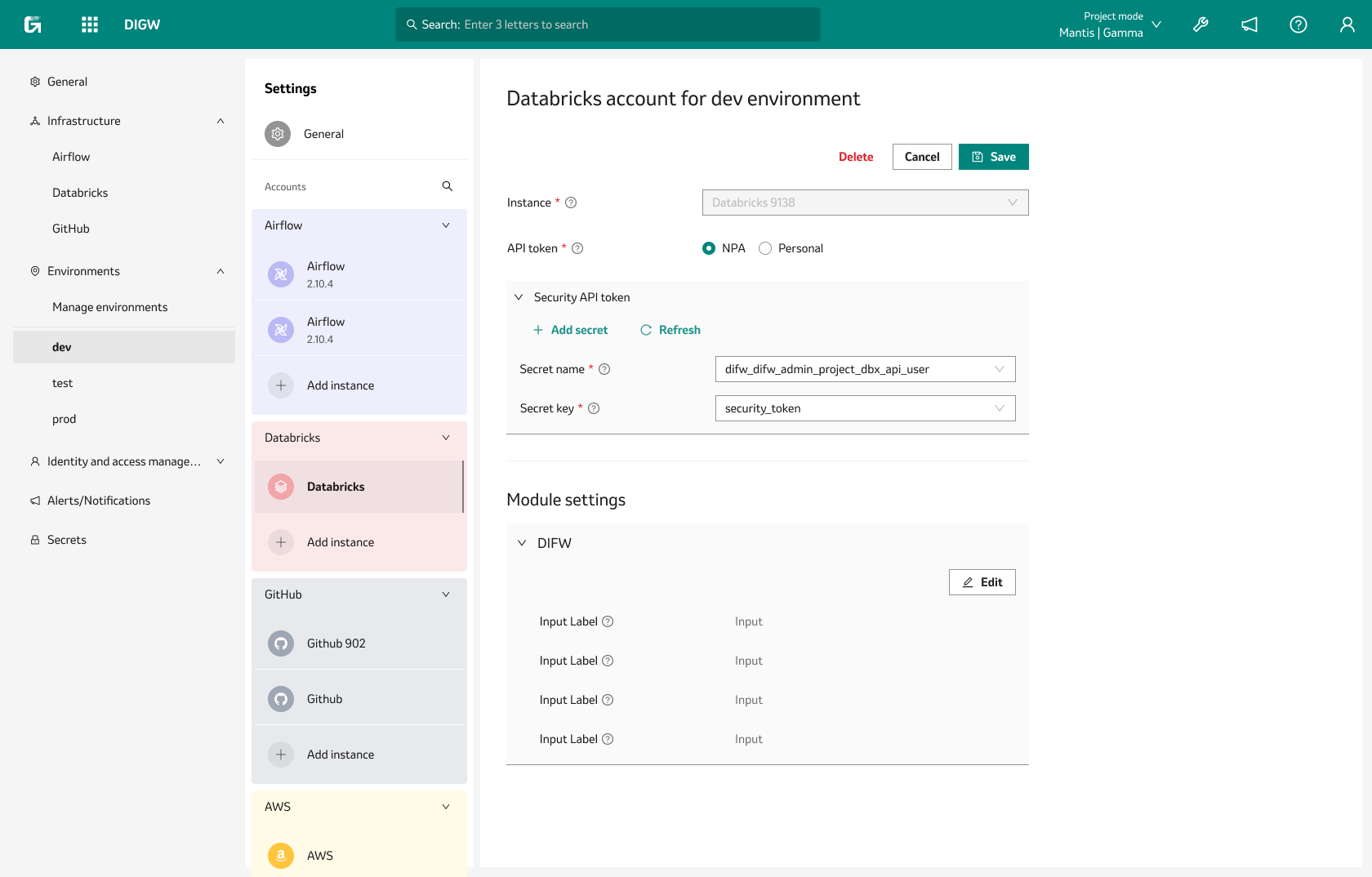
Introduced AI-powered features and modular settings management for greater flexibility and ease of use.
Established a practical design process that became part of our regular project workflow.